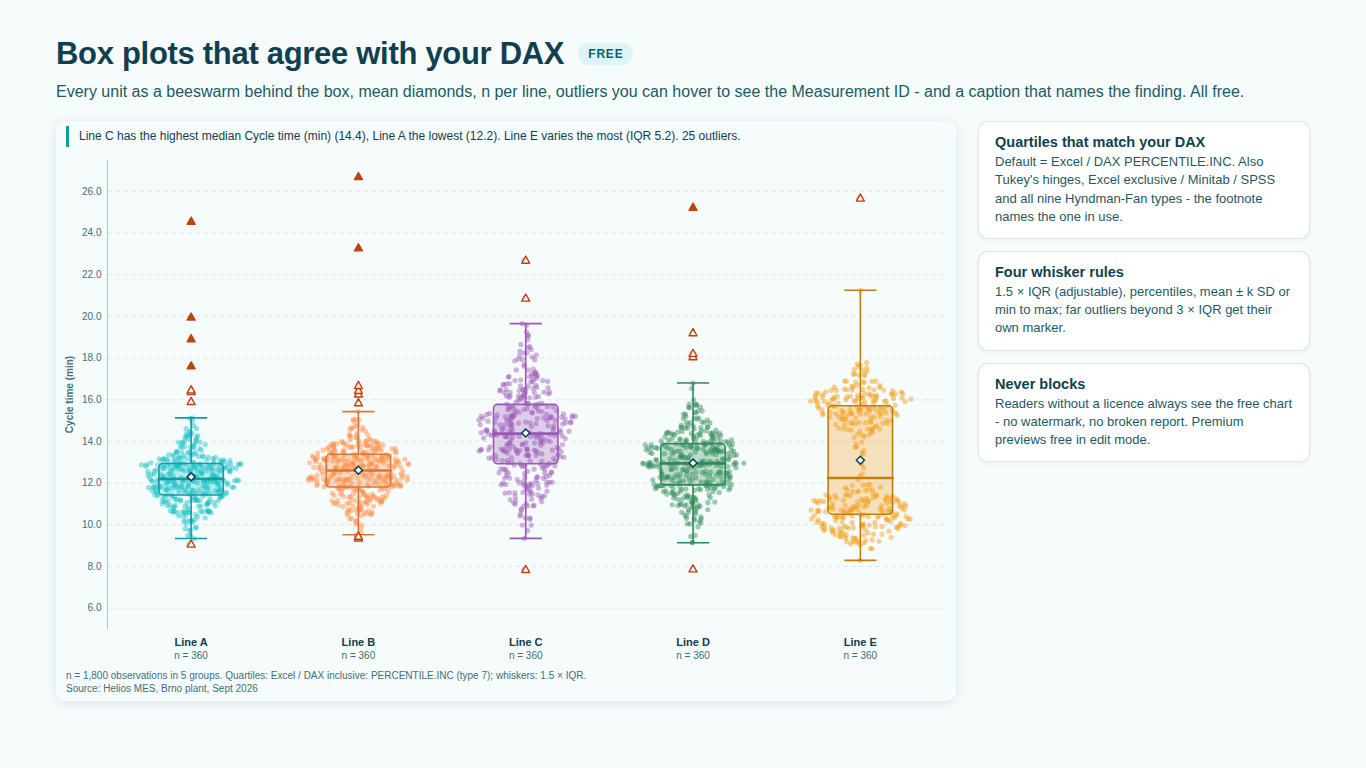
- Each group shows a single value instead of a box.
- Without Sample / ID, Power BI sums the values per group and the visual receives one number per box; it shows a hint saying so. Map the observation grain, such as a measurement, order or unit ID, to Sample / ID, or use Value (as column) with a Count measure.
- A warning says "Showing part of the data".
- Power BI sends 30,000 rows per data window and the visual fetches further windows up to 150,000 rows. Above that, statistics are computed on the rows received and the warning says so. Put the value itself in Value (as column) with a Count measure so each distinct value is sent once, or filter the page.
- The quartiles do not match Excel QUARTILE.EXC, Minitab or R.
- Statistics > Quartile Method defaults to Excel / DAX inclusive (PERCENTILE.INC, type 7). Pick Excel / DAX exclusive (PERCENTILE.EXC, also Minitab and SPSS), Tukey's hinges (R fivenum) or any of the other Hyndman-Fan types to match your reference. The footnote names the method in use.
- Hovering a point shows no tooltip, or points cannot be clicked.
- When a box has more than 2,500 points, its points are drawn as one image to stay fast, without per-point tooltips or selection; the box itself keeps its tooltip and still filters the report. Above 6,000 points per box, an even sample is drawn, while every statistic still uses all the data.
- Significance, notches, Cpk or small multiples disappear in reading view.
- These are premium. They render in full while you edit; readers without a licence see the free box plot and a footnote line naming the premium features not shown. Assign the reader a licence in the Microsoft 365 admin center under Billing > Licenses.
- Cp, Cpk and control limits are missing while Pp and Ppk show.
- Within-subgroup capability needs the individual observations in production order, from Sample / ID. With Value (as column) and Count the visual only has frequencies, so it shows Pp, Ppk and Cpm and the footnote says why.
- There is no legend.
- The legend appears when a Split By field is mapped, because only then do colours need explaining; the Group axis already names each box.