- I put This Year and Last Year in Score, but the board shows one score per region instead of the two years against each other.
- When a Side field is bound, each Side value is a competitor and only the first Score measure is the score; further measures become stats underneath. To play two measures against each other, remove the field from Side. If only one measure is bound and there is no Side, the board asks you to add a second side or a second measure.
- With Period bound, a score is much higher than the same measure in a card, or a percentage is over 100%.
- With a Period or Event field bound, the board combines the period rows itself. Auto adds numbers up and averages percentages, but a distinct count, an average or a balance such as stock or headcount does not add up across periods. Open Measures, pick the measure's group and set Combine Periods By to Average, Latest or Maximum. Without Period or Event, every score is exactly what your model returns.
- A side shows a dash instead of a score, or a side called (Blank) appears.
- A dash means the measure returned blank for that side in the current filter context. Blanks are not treated as zero, so that side never leads and goes to the bottom of the standings. A side named (Blank) means some rows have an empty Side value; filter them out on the visual or give them a name in the model.
- The periods in the linescore are in the wrong order.
- Dates and numbers always sort ascending. Text periods keep the order Power BI sends, so a fiscal year sorted with Sort by column stays as you sorted it. If the text is only sorted alphabetically, the board puts month names in calendar order and numbered labels in natural order (W2 before W10). For anything else, set Sort by column on the period column in the model or bind a date column instead.
- The logos do not appear, and Logos > Show Logos says some are not shown.
- The Logo field takes a base64 image data URI per side, such as data:image/png;base64,... built in Power Query. Web addresses are never loaded, and an image longer than 32,766 characters arrives cut off, so keep images to about 20 KB (64 to 128 px). The description under Show Logos names the reason for the first refused value. Logos also need a Side field; with two measures as sides there is nothing to attach them to.
- I expected the match centre but got a small score bug or a league table.
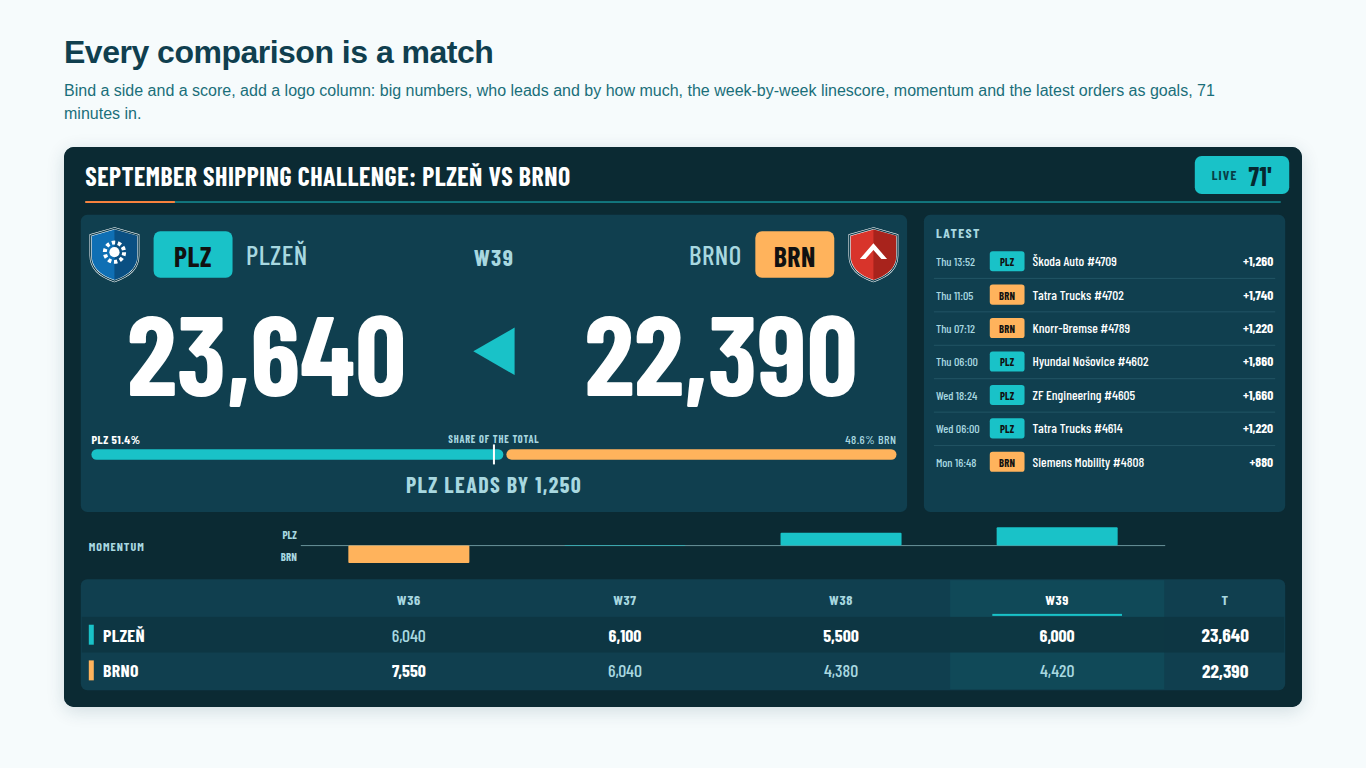
- Layout > Auto chooses by size and data: a tile under 220 px high, or narrower than 360 px and under 320 px high, gets the Score bug, and more than four sides without a Match field get the League table. Pick Match centre, Score bug, LED board or League table in Layout > Layout to fix the choice. Style > Boardroom (plain) shows the LED board as the match centre.
- In Windows high contrast mode my side colours are gone and the Sides card is missing.
- This is on purpose. In high contrast the board uses the system colours, so the per-side colour pickers are hidden. The lead is still shown by the arrow and the words, results by letters, and zones by name. Your colours come back when high contrast is turned off.
- The board is missing from a PDF or PowerPoint export, or from a subscription email.
- Power BI includes a custom visual in PDF and PowerPoint exports and in subscription emails only after Microsoft has certified it, and Scoreboard is not certified yet. Until then, share the live report or take a screenshot of the board.