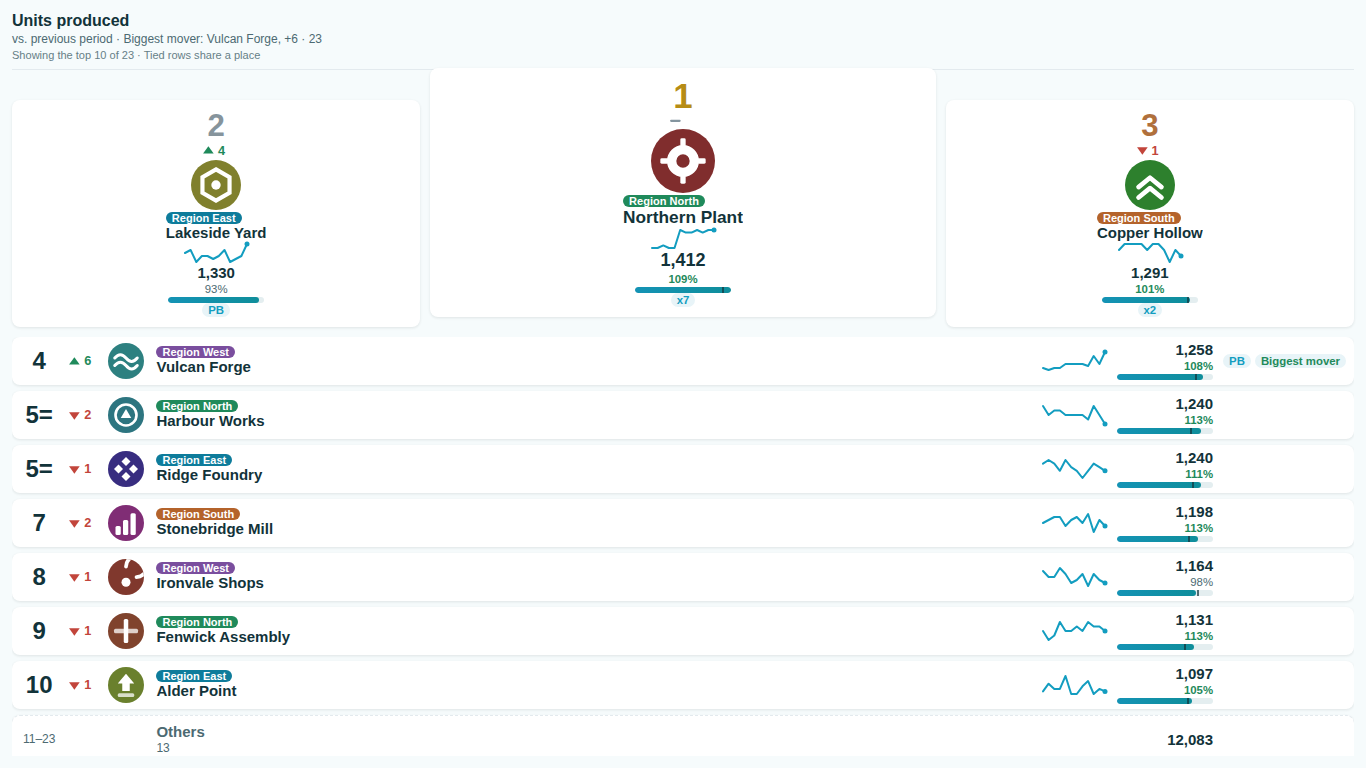
- There are no movement arrows, streaks or rank history.
- Movement needs a second state of the board: bind a Comparison value next to the Value, or a Period field with at least two periods in view. If a slicer narrows the data to one period, the board says "One period in view - movement needs two". Movement, streaks, personal bests and the rank history chart are premium: they show in edit mode, and readers without a licence see the board without them.
- A note says "The Period is used; the Comparison value is ignored".
- Both a Period field and a Comparison value are bound, and the board can only compare one way. With a Period, movement is worked out from the periods in view (Movement > Compare to: previous period, first period in view or a set number of periods back). Remove the field you do not want to use.
- Two rows show the same value but different ranks, or the same rank for different values.
- Ranking > Two rows tie decides whether ties are found on the displayed value (the default) or the exact value. On the displayed value, two rows that both print 980 share a place even if the model has 979.6 and 980.2; switch to On the exact value to separate them, or show more decimals. Ranking > Tie rule sets how shared places are numbered, and Ranking > Order tied rows by sets their order.
- Photos show initials instead of images, or a warning says web-URL images were not loaded.
- The Image field takes inline images as data: URIs (for example data:image/png;base64,...), up to 256 KB each. Web addresses are refused because the visual makes no external calls, and the board shows initials instead (Image > Fallback). Convert the photos to data URIs in Power Query or in the source.
- Readers see a licence notice and the board without wall mode, movement or grouped standings.
- The author switched on a premium feature: movement with a comparison, wall mode, grouped standings, cut-off lines, the focus row or Is me, or race analytics. Readers without a licence get the complete free board, reflowed as if those settings were off, plus one notice from Power BI naming what needs a licence. Assign a licence in the Microsoft 365 admin center, or switch the premium settings off for a free board with no notice.
- Wall mode does not page.
- Wall mode pages only when there is more than one page (Wall mode > Rows per page), the tile is at least 400 x 300 pixels, and Power BI allows interaction, so a dashboard tile never pages. With Pause when someone interacts on, a click, a scroll or a key press holds the paging for 30 seconds.